

How to Sign Up to Flowbee.io
Creating a Flowbee.io account is very easy.
It is similar to creating an account on any social media platform.
Just follow the steps below.
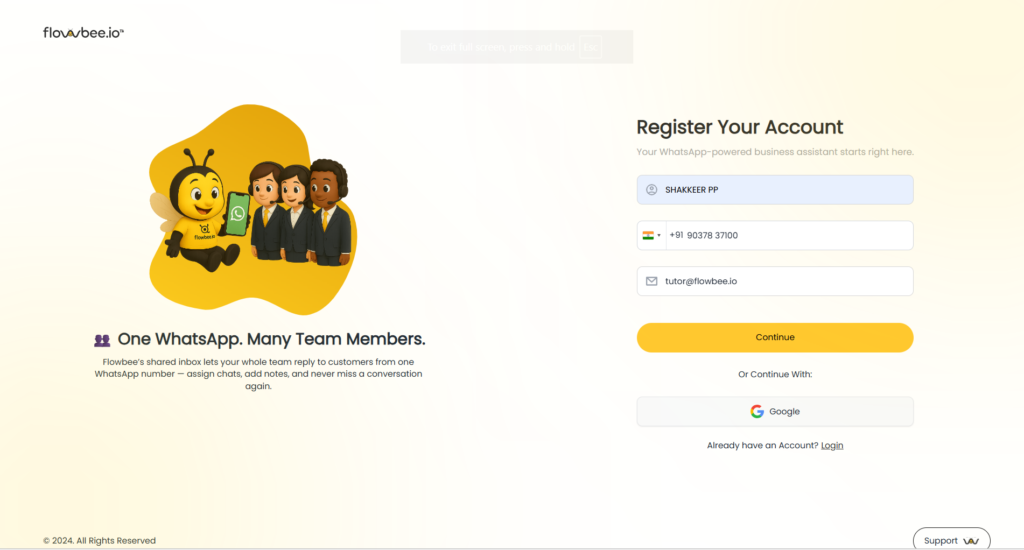
1. Go to the Registration Page
Open the Flowbee registration page in your browser. https://app.flowbee.io/auth/register .You will see the account registration form.
2. Enter Your Basic Information
Fill in the required details:
- Full Name
- Mobile Number
⚠ Important:
This mobile number is only your contact number.
It is not the WhatsApp number you will connect to Flowbee later.
- Email Address
After entering the information,
Click Continue.
3. Create Your Password

Now you need to create a password.
Enter:
- Password
- Confirm Password
If you have a Referral Code, you can enter it here.
This field is optional.
Then:
✔ Tick the checkbox to accept Flowbee.io Terms and Conditions
After that click:
👉 Continue Your Registration
4. Verify Your Email Address
An OTP (One-Time Password) will be sent to your email address.

Now:
- Open your email inbox
- Check the email from Flowbee.io
- Enter the OTP in the verification field
Then click:
👉 Verify and Continue
If You Do Not Receive the OTP
You can try the following:
- Wait for the countdown timer
- Click Resend OTP
- Check your spam or junk folder
If the email address is incorrect, you can edit it by clicking the pen icon next to the email field.
5. Complete the Profile Questions
After verifying your email, your Flowbee account will be created.
Next, Flowbee will ask a few questions to understand your business better.
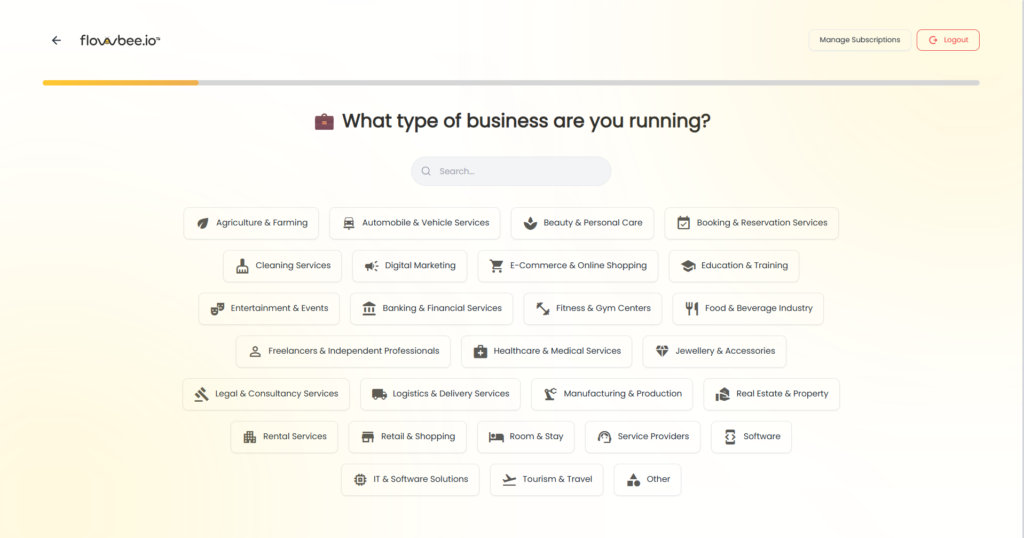
These questions help us:
- Understand your business type
- Prepare your onboarding process
- Provide better support
Please choose the answers that best match your business.
Registration Completed
Congratulations 🎉
You have successfully created your Flowbee.io account.

What Happens Next?
The next important step is:
Connect to Meta
This step connects your Flowbee account with Meta (Facebook) to activate the official WhatsApp Business API.
In the next guide, we will explain how to connect your business to Meta step by step.