

Compose Box
Enhance your team’s productivity with Flowbee’s Compose Box – a powerful messaging area designed to handle all types of customer communication from one place.
The Compose Box allows you to send messages, add internal notes, translate chats, use quick replies, attach media, insert custom variables, record voice messages, and more — all without leaving the conversation.

It is the central space where your team interacts with customers, collaborates internally, and delivers fast, accurate responses.
Features Available in Compose Box
The Compose Box includes multiple tools to help you communicate effectively:
- 💬 Message typing
- 📝 Internal notes
- 🌍 Translation
- ⚡ Quick messages
- 😊 Emojis
- 📎 Multimedia attachments
- 🔑 Custom variables
- 🎙️ Voice recording
👉 Each feature is explained in detail below.
📝 Internal Notes
Add private notes inside a conversation to share information with your team without notifying the customer. These notes are internal-only, meaning your customers will never see them.
They appear in a distinct yellow text bubble, making it easy to differentiate them from regular chat messages.
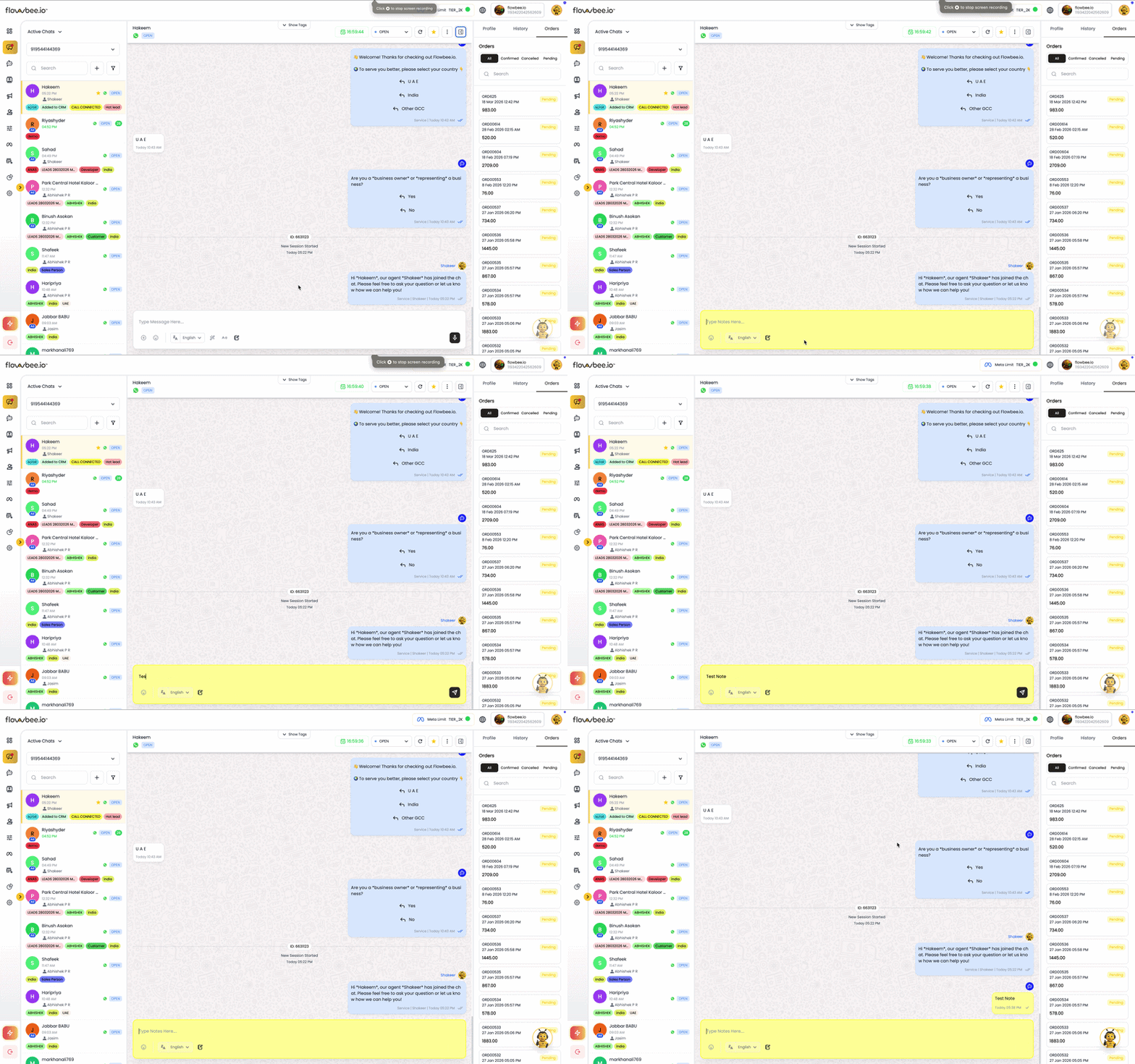
These notes are internal-only, meaning your customers never see them. They appear in a yellow text bubble to distinguish them from chat messages.
Internal Notes help your team maintain context, share instructions, and coordinate actions within a conversation, especially when multiple agents are involved.
Key Benefits:
- Private communication within the team
- Maintain conversation context
- Easily distinguish notes from messages
- Improve team coordination
🌍 Translation
Translate messages in real-time to communicate with customers in different languages. Flowbee allows you to understand incoming messages and reply in your preferred language without any manual effort.
This helps your team handle international customers efficiently and ensures smooth communication without language barriers.
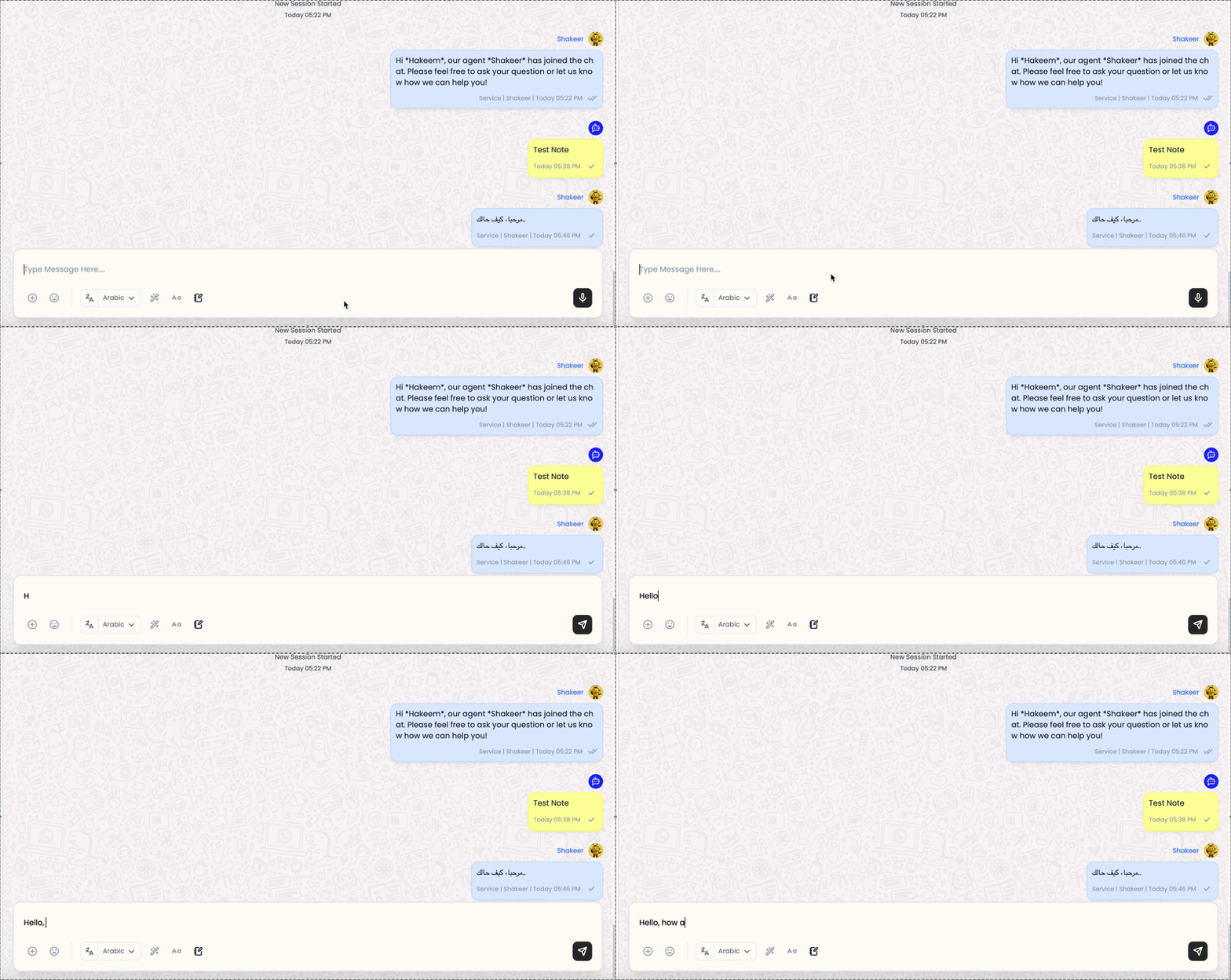
Key Benefits:
- Communicate across multiple languages
- Understand customer messages instantly
- Respond without switching tools
- Improve global customer experience
⚡ Quick Messages
Send predefined responses instantly using Quick Messages. These are saved replies that help you respond faster to common customer queries without typing the same message repeatedly.
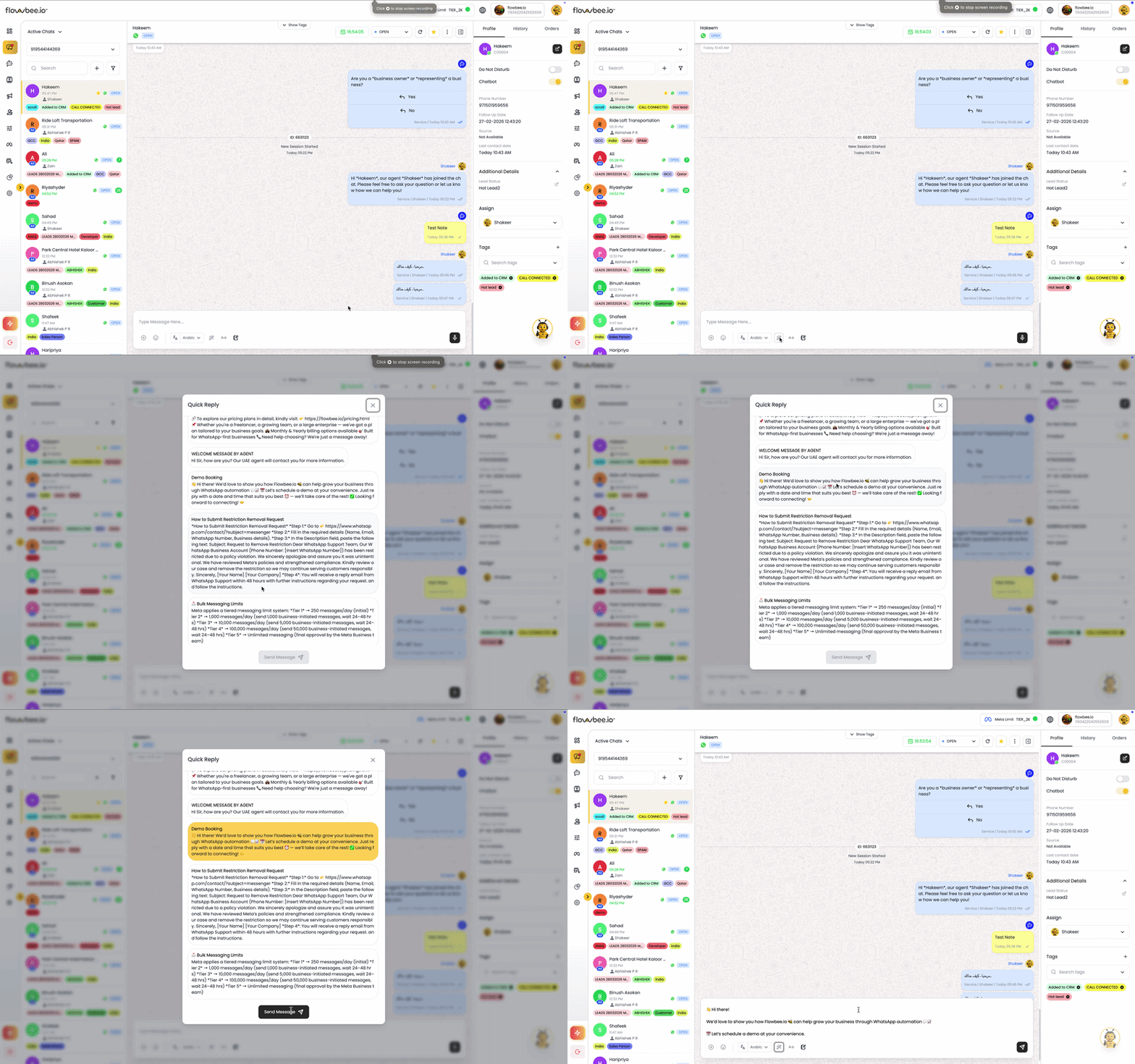
Quick Messages improve response speed, ensure consistency, and help your team maintain a professional tone across all conversations.
Key Benefits:
- Save time with ready-made replies
- Maintain consistent communication
- Faster response to customers
- Reduce typing effort for agents
📎 Multimedia Attachments
Enhance your conversations by sending images, videos, documents, and other media directly from the Compose Box. This allows you to share product details, invoices, brochures, or any required files with customers instantly.
Multimedia support helps make communication more interactive and informative, improving customer understanding and engagement.
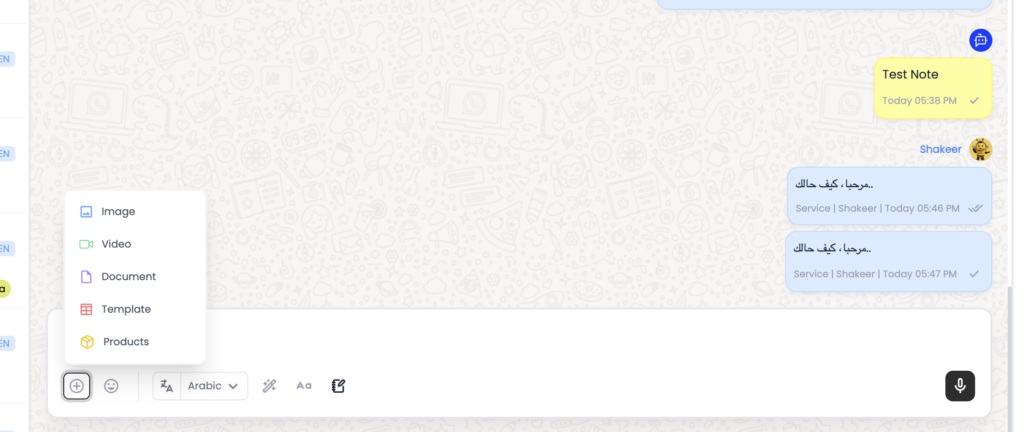
Key Benefits:
- Share images, videos, and files
- Improve communication clarity
- Provide rich customer experience
- Send documents instantly within chat