

Contact Groups
Contact Groups allow you to organize your customers into custom segments based on your business needs. This helps you manage contacts more effectively and communicate with the right audience at the right time.
What is Contact Grouping?
Contact Grouping lets you create custom groups by segmenting your contacts based on criteria such as priority, nationality, order type, customer type, or any business-specific category.
Why It Matters
- Organize contacts in a structured way
- Easily target specific customer segments
- Improve campaign effectiveness
- Simplify contact management
How to create a Contact Group?
To create a contact group, follow the below steps:
1. Navigate to the Contacts section from the left navigation menu of your Flowbee account.
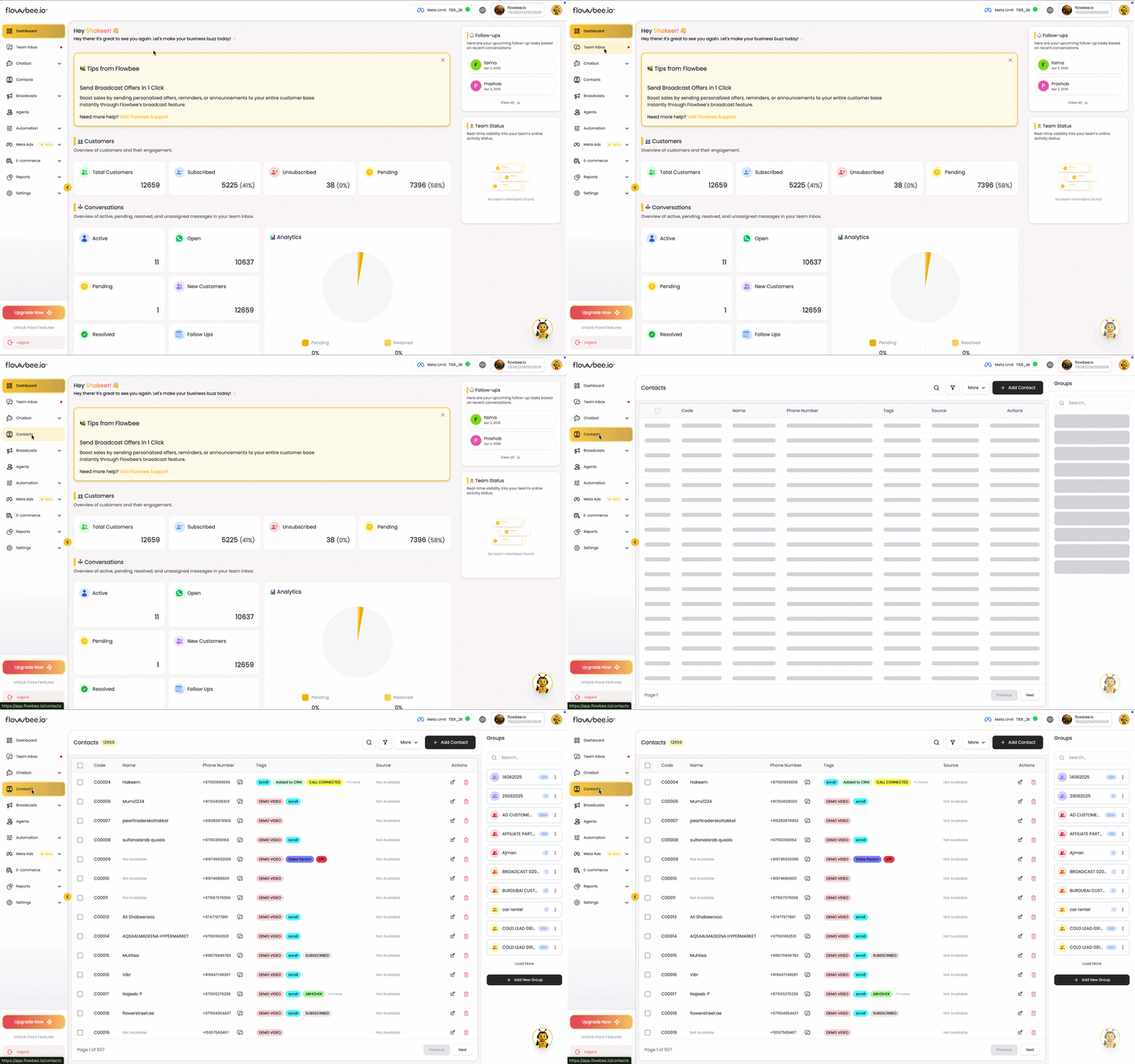
2. Select the contacts you want to include in the group from the contact list, either by selecting them manually or by using filters to quickly choose a specific set of contacts.
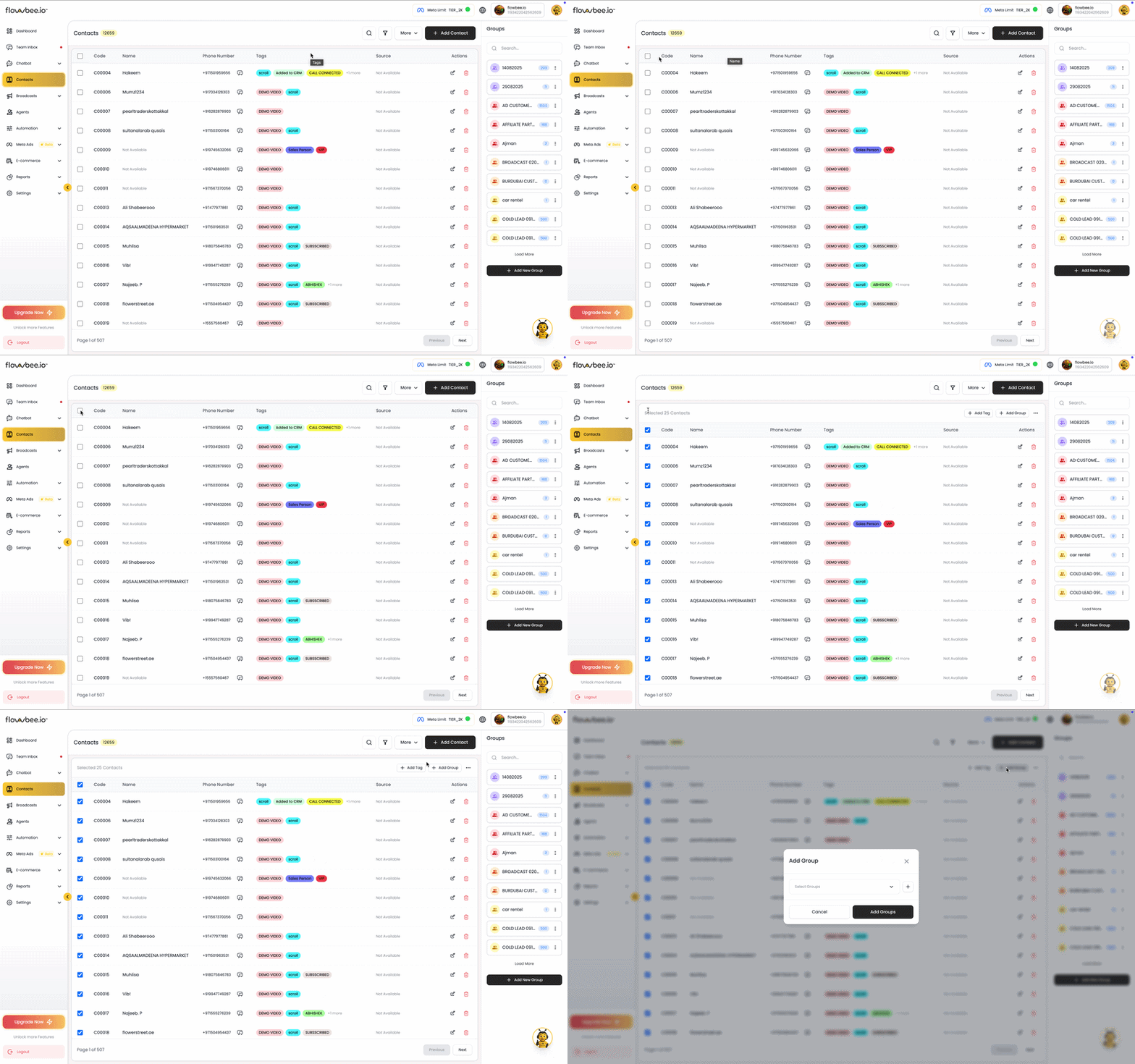
3.Enter a Group Name based on your requirement (e.g., Loyalty Members, VIP Customers, New Leads).
4.Click Save to create the group and assign the selected contacts.
👉 The selected contacts will now be added to the created group and can be used for campaigns, chatbots, and targeted communication.
You can easily view and manage group data from the left-side group list. From here, you can select a group, review its contacts, and remove customer data based on your requirements.