

Contact Management
Contact Management in Flowbee.io allows you to efficiently organize, filter, and update your customer data. With powerful filtering and bulk actions, you can manage large contact lists quickly and perform multiple operations in just a few clicks.
🔍 Filter Contacts
Easily filter contacts based on different conditions to find the exact audience you need.
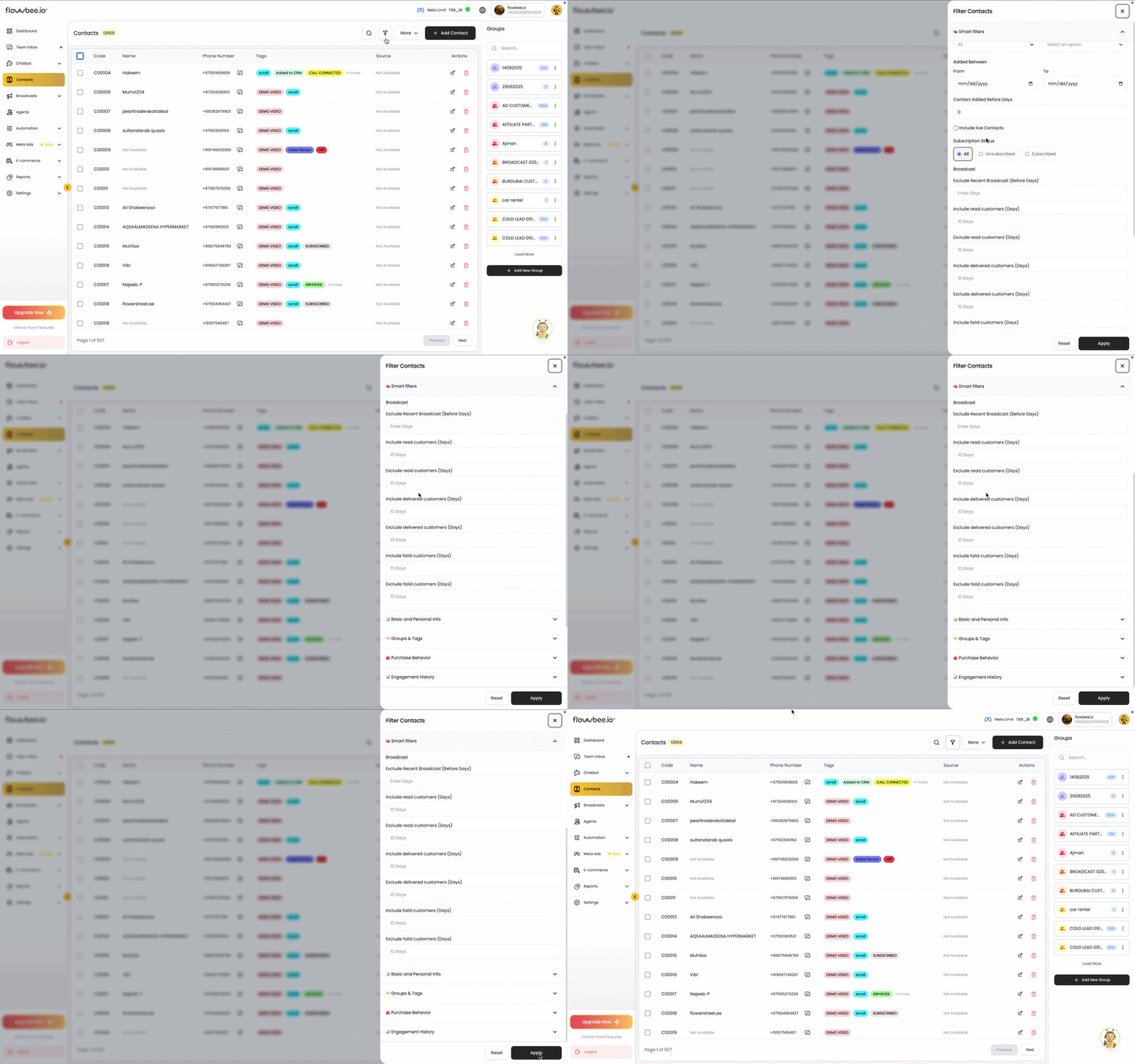
You can filter contacts based on:
- Tags
- Groups
- Assigned agents
- Broadcast success or failed status
- Opt-in / Opt-out status
This helps you quickly identify and target the right set of customers.
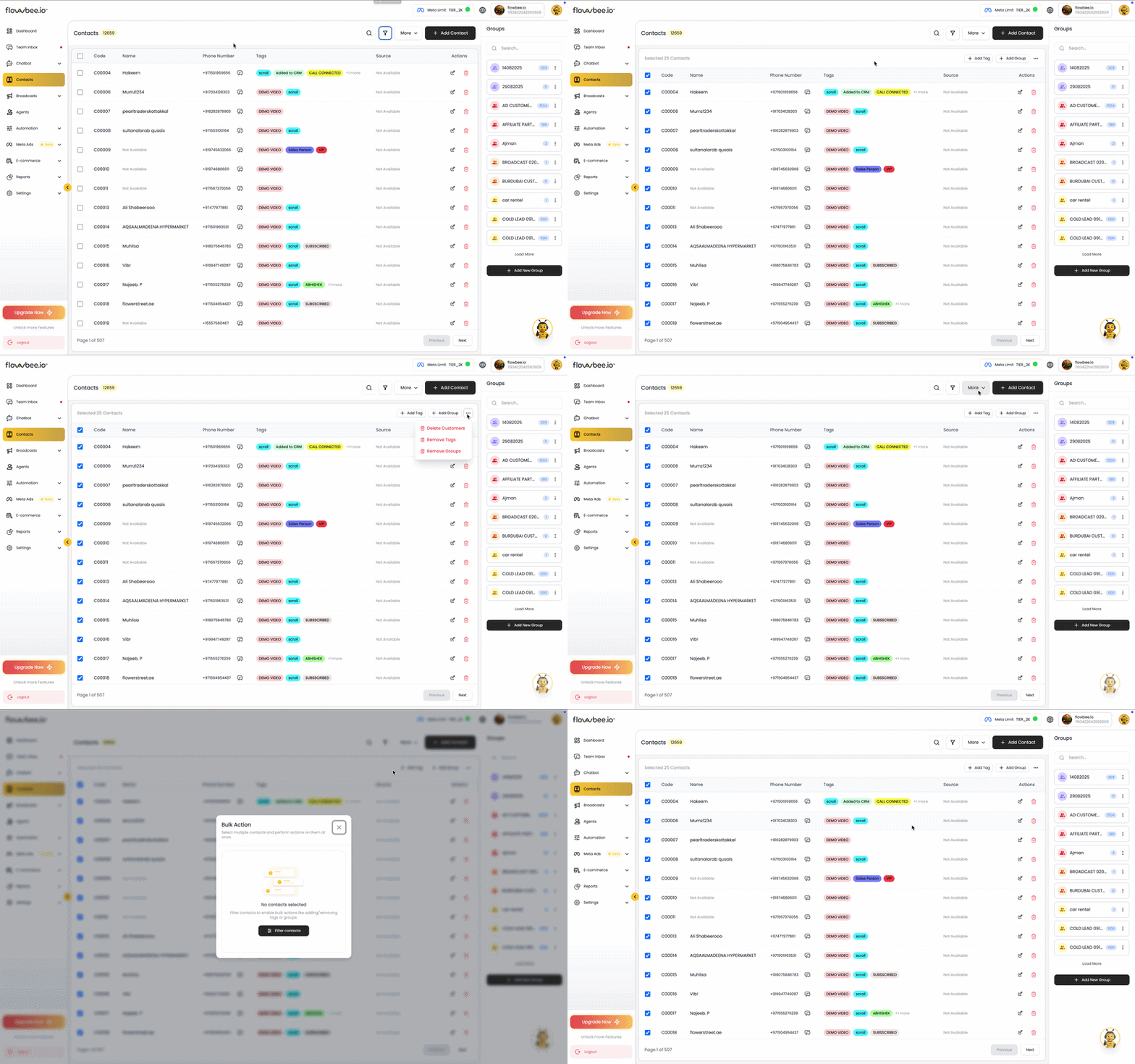
⚡ Bulk Actions
Perform multiple actions on selected contacts at once, saving time and effort.
You can select multiple contacts and apply bulk actions such as:
- 🏷️ Add Tags
- ❌ Remove Tags
- 🗑️ Delete Contacts
- 👥 Add/Remove to Group
- 👤 Assign to Agent
📤 Export Contacts
Export your contact list into a file (CSV/Excel) for backup or external use.
This allows you to:
- Keep data backups
- Use contacts in other tools
- Generate reports
👥 Assign to Agent
Assign contacts to specific agents for better ownership and tracking.
This helps:
- Organize customer handling
- Improve accountability
- Manage agent-wise communication
Tips
- Use filters before performing bulk actions
- Always verify data before deleting contacts
- Maintain clean and updated contact lists
- Use tags and groups together for better segmentation