

Inbox Tools & Navigation
Manage and navigate conversations effectively using Flowbee’s smart inbox tools. With filters, sorting, and visibility controls, you can quickly find, organize, and prioritize chats for better productivity and faster responses.
🔍 Filter Conversations
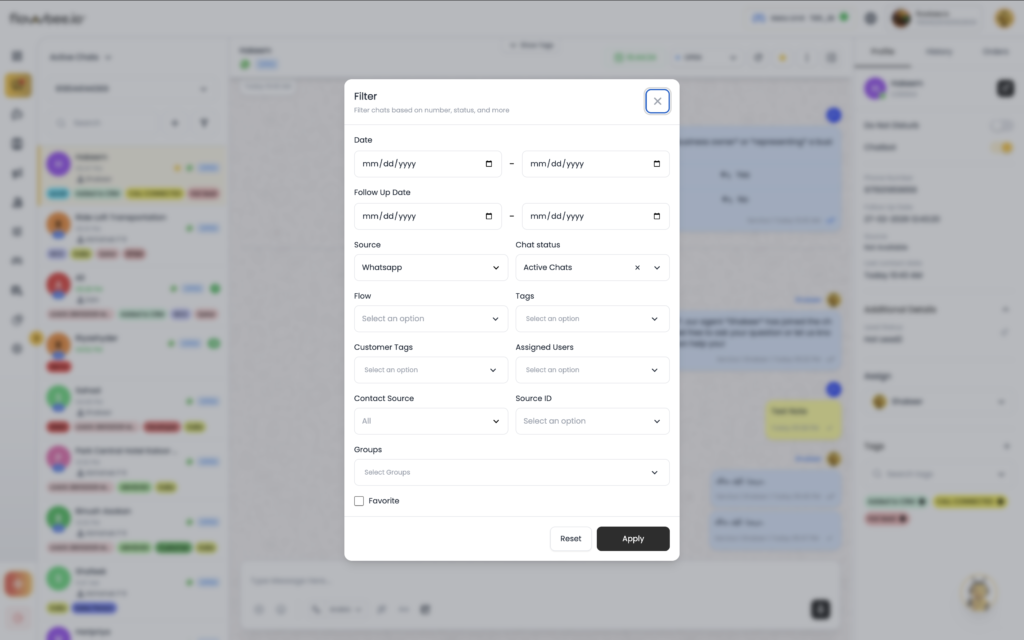
Easily filter conversations to focus on specific chats based on different conditions. This helps reduce clutter and allows your team to handle only the conversations that require immediate attention.
🏷️ Filter by Tags
Filter chats using tags to quickly identify specific groups such as new leads, follow-ups, or closed conversations. This helps in better organization and targeted actions.
👥 Filter by Assign To
View conversations assigned to a specific agent or team. This helps agents focus only on their own chats while managers can monitor overall activity.
👤 Contact View
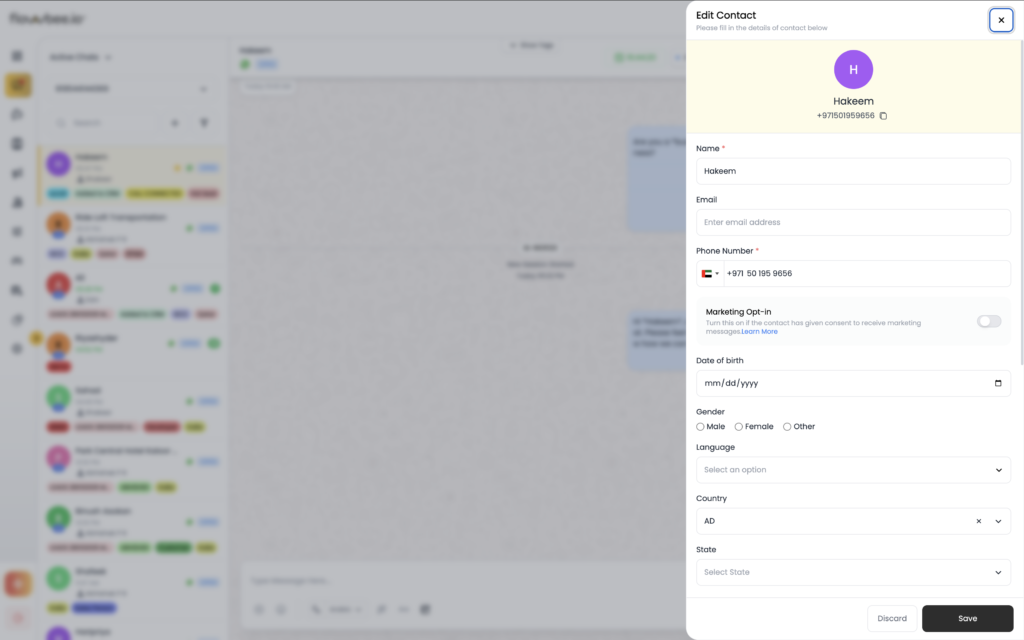
Access detailed customer information directly from the chat. Contact View allows you to see customer details, previous interactions, and related data in one place.
📊 Additional Fields
View and manage custom customer data such as budget, location, or service type. Additional fields help in understanding customer needs and providing personalized responses.
⭐ Highlight Chat
Mark important conversations using the star option. Highlighted chats can be easily identified and accessed later for priority handling.