

Manage Inbox
Easily manage your customer conversations with Flowbee.io Team Inbox. Assign chats, collaborate with your team, organize conversations using tags, and ensure every message is handled efficiently.
👥 Assign Chats
Easily assign conversations to specific team members to ensure clear ownership and avoid confusion.
Assigning chats helps your team work in an organized way, where each agent is responsible for handling their assigned conversations. This prevents duplicate replies and improves response quality.
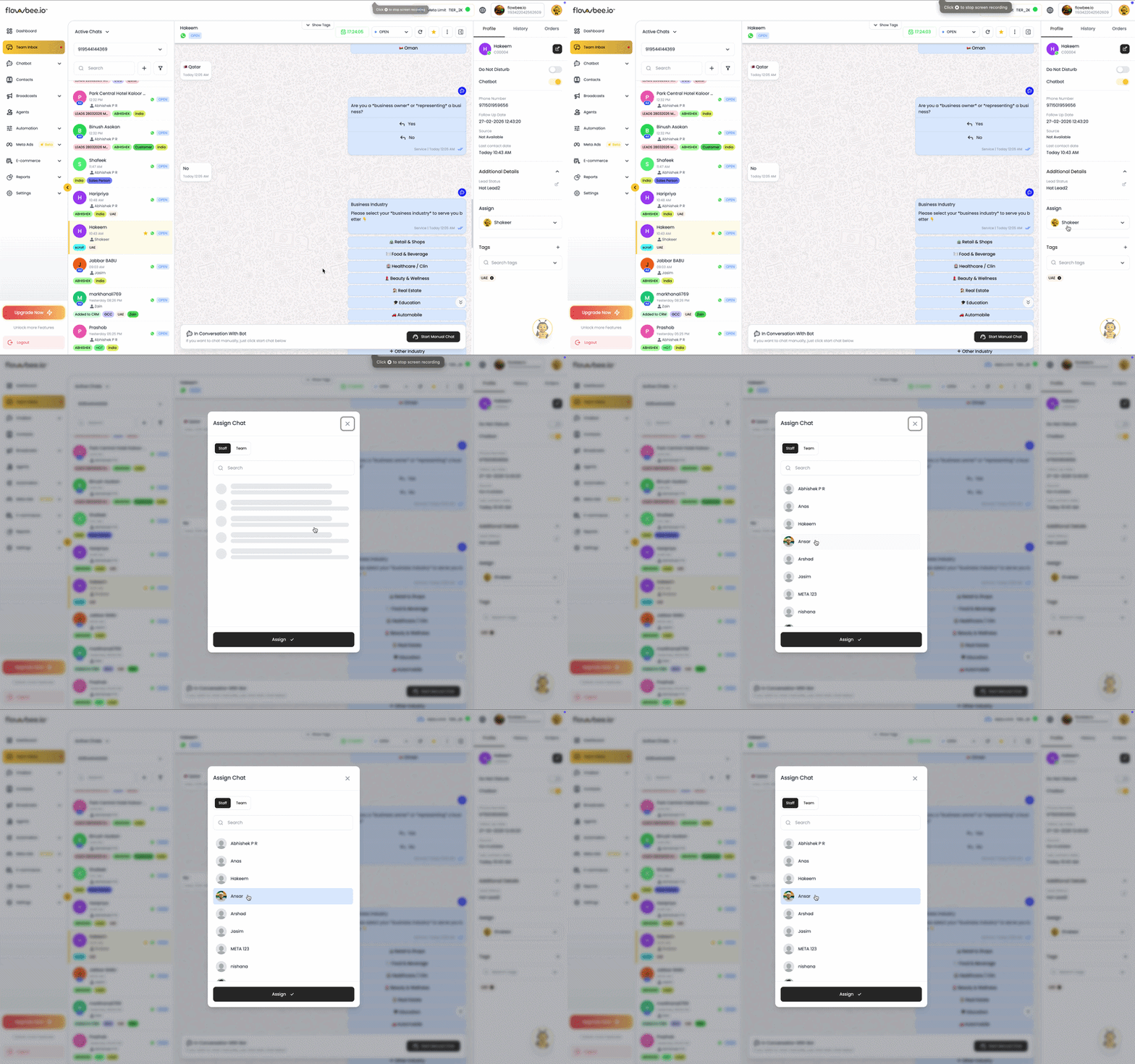
With Flowbee, you can also control visibility – agents can focus only on their assigned chats, while admins can monitor all conversations.
Access Control & Visibility
Flowbee allows you to control chat visibility based on assignment:
- Agents can focus only on their assigned chats
- Managers/admins can view all conversations
- Helps reduce clutter and improve focus
👉 This is especially useful for large teams handling high chat volumes.
Assign to Team
Easily assign conversations to a group of team members using Flowbee’s round-robin system. Chats are automatically distributed among available team members, ensuring balanced workload and faster response times without manual assignment.
⏰ Follow-Up & Reminders
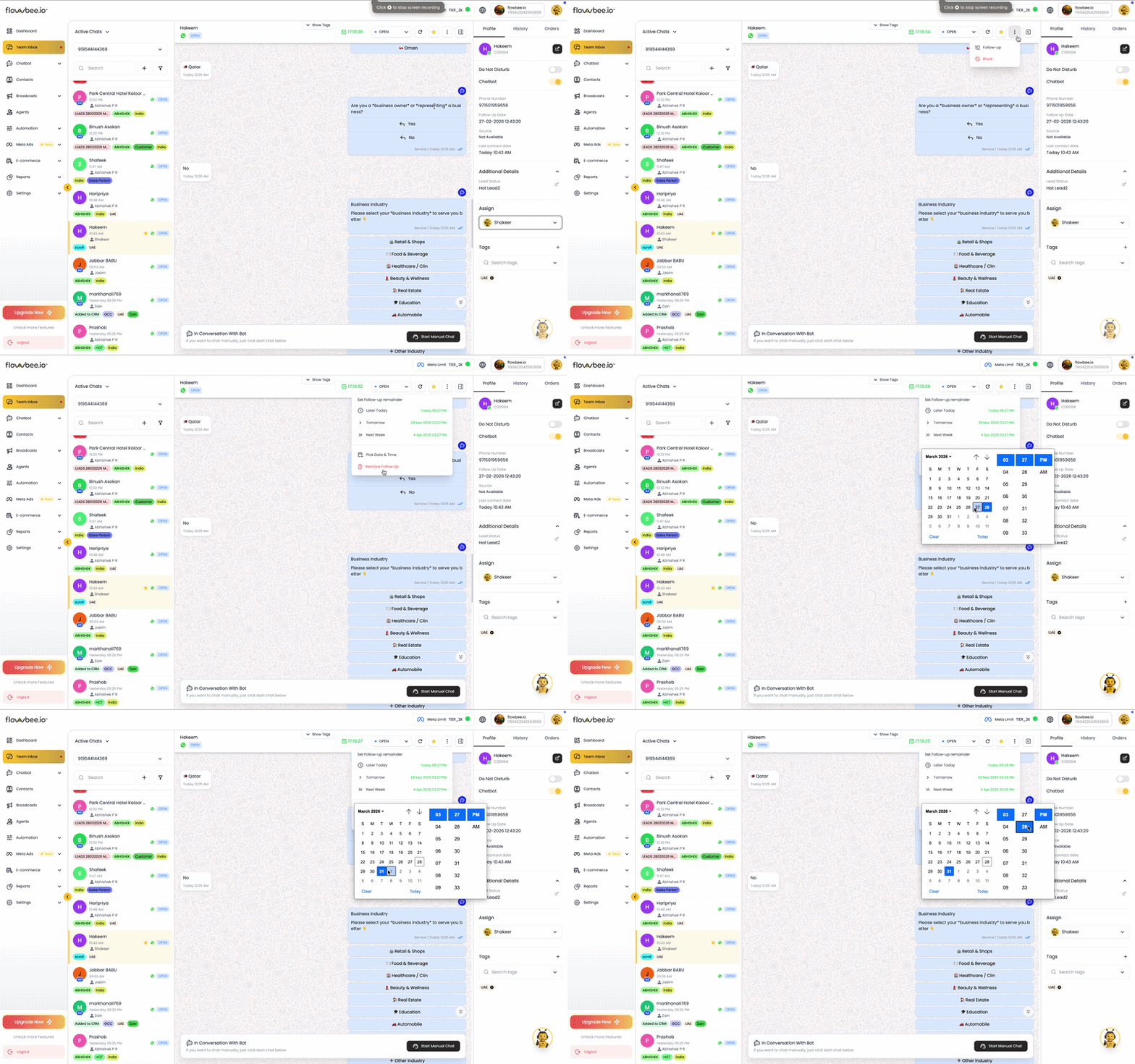
Never miss a customer by setting follow-ups and reminders.
You can schedule follow-ups for conversations, ensuring that every lead or customer gets timely attention.
Key Benefits:
- Improve conversions
- Stay connected with customers
- Avoid missed opportunities
🏷️ Chat Tags
Easily organize and manage conversations by adding tags to your chats. Chat Tags help you categorize customers based on status, interest, or priority, making it easier to track and handle conversations efficiently.
Using tags, your team can quickly identify the type of conversation and take the right action without going through each chat manually. This improves workflow and ensures no important chat is missed.
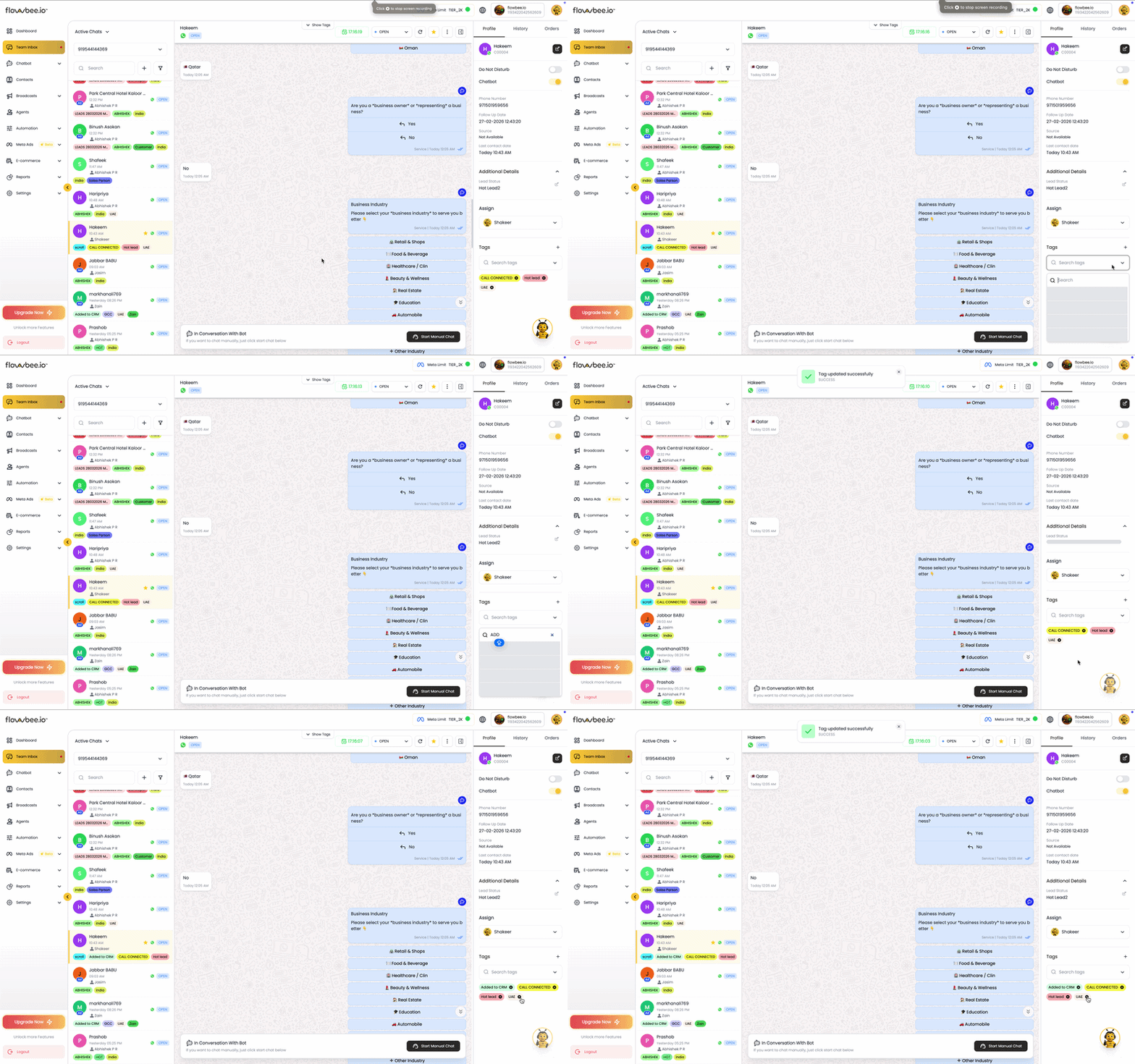
Flowbee also allows you to filter conversations based on tags, helping you focus on specific groups such as new leads, follow-ups, or closed customers. Additionally, tags can be used during broadcast campaigns to target specific customer segments and send more relevant messages.
Key Benefits:
- Organize chats in a structured way
- Easily filter and find conversations
- Segment customers for targeted broadcasts
- Improve team efficiency and tracking
🔍 Easy Filters
Quickly find conversations using smart filters.
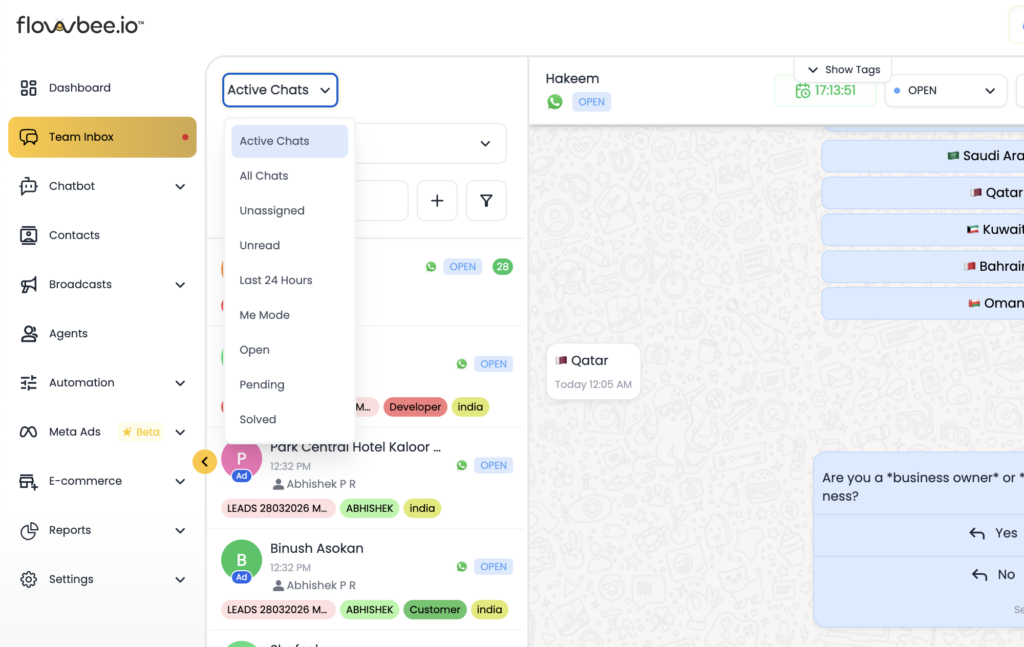
Filters allow you to search chats based on agent, tag, or status, helping you focus on the conversations that need attention.
⏱️ Conversation Window (Session Timer)
Track the WhatsApp 24-hour session window directly within your chat interface. The session timer shows how much time is remaining to send messages to a customer without using a template.
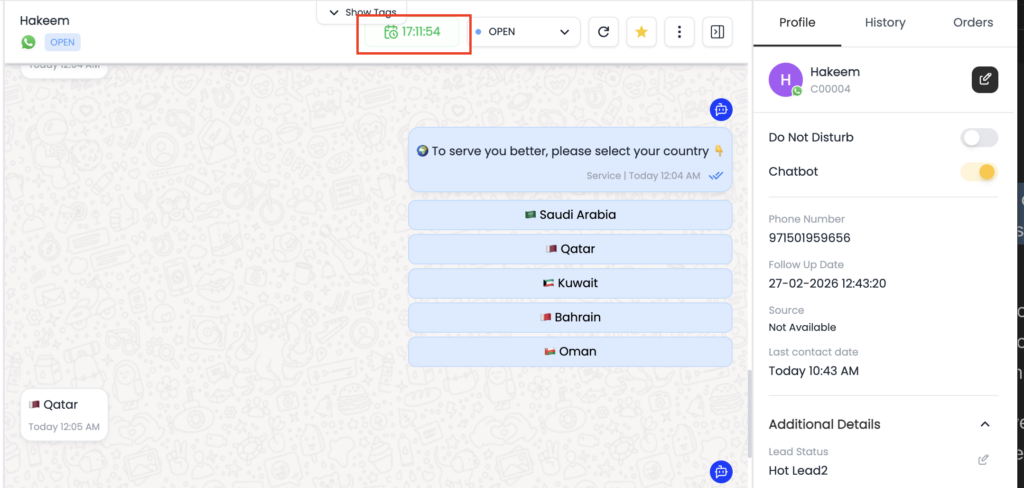
This helps your team stay aware of active conversations and respond within the allowed time window. You can monitor the session status easily from the top bar of the chat, ensuring timely replies and avoiding interruptions in communication.
Flowbee also allows agents to track session windows for the conversations assigned to them, helping them prioritize chats that are about to expire.
💬 Start Manual Chat
Start Manual Chat allows you to take control of a conversation when a chatbot is active. By default, if a chatbot is connected, replies are handled automatically. When manual intervention is needed, you can switch to manual mode and respond directly to the customer.
Once you enable Start Manual Chat, the chatbot pauses for that conversation, and the message box becomes available for the agent to type and send messages manually.
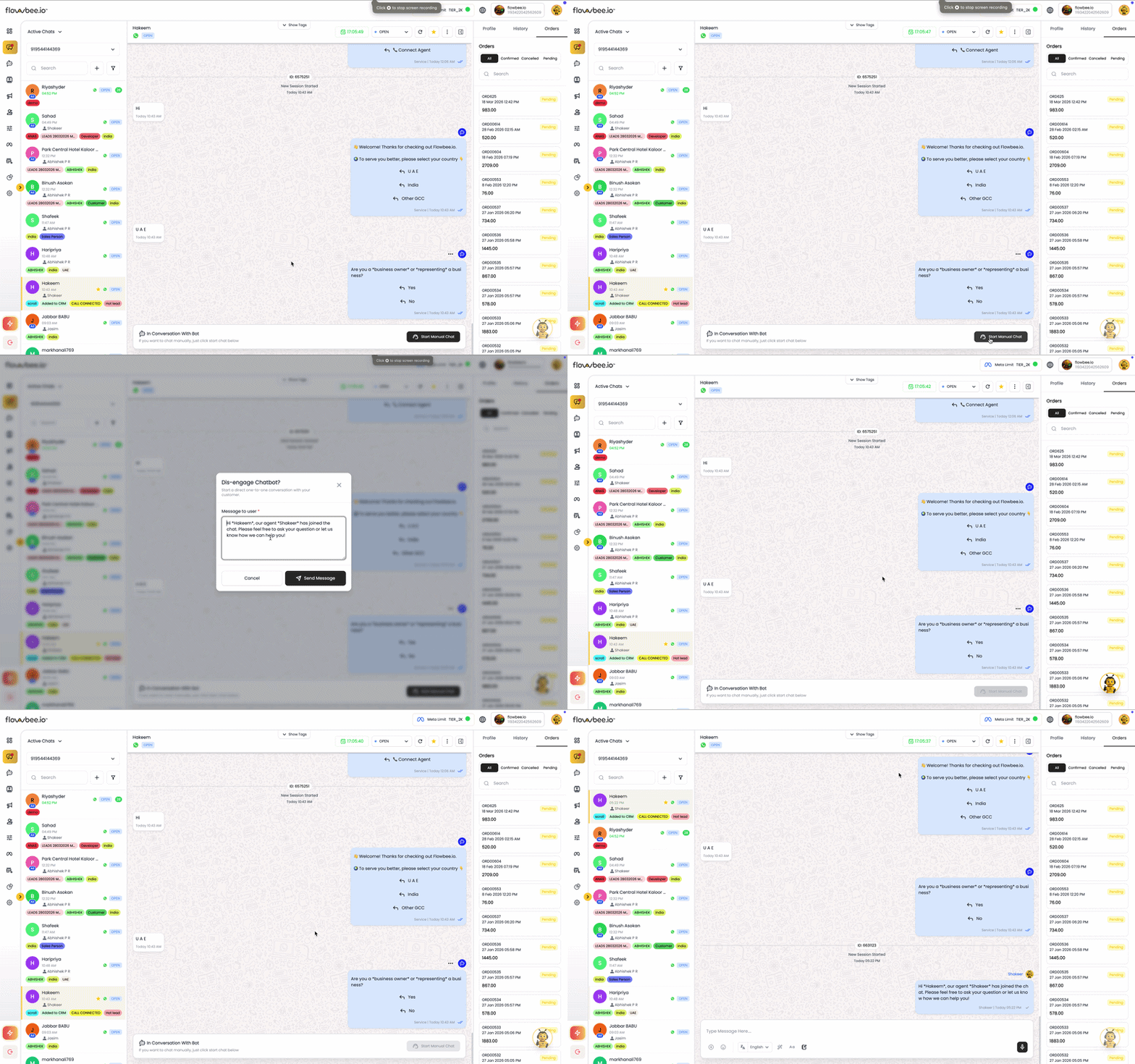
This is especially useful when handling complex queries, special requests, or situations where human support is required.
Key Benefits:
- Take full control over chatbot conversations
- Handle complex or sensitive queries manually
- Seamless switch between automation and human support
- Improve customer satisfaction with personalized responses